
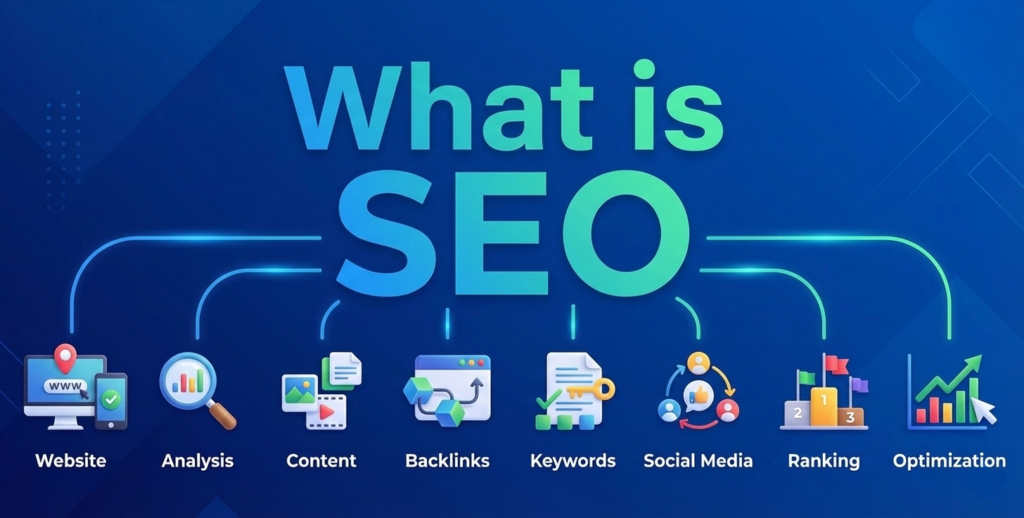
What is SEO? Let’s Explore this through human search and decision making style and process. Imagine you need a financial advisor. You’d probably ask friends, Google “best financial advisor near me,” check reviews, visit a few websites, and pick someone who seems knowledgeable, trustworthy, and clear in their communication. You wouldn’t choose the person who just repeats “financial advisor” fifty times or has a confusing office.
Search Engine Optimization (SEO) works exactly this way. It’s not about tricking algorithms, it’s about being the obvious, trustworthy choice when someone asks the internet a question. Every SEO term, metric, and tactic maps directly to how humans choose experts in real life, just happening digitally at massive scale.
This guide explains every fundamental SEO concept through that lens: What would this look like if it were a real human interaction?
Part 1: The Foundation – Being Found When Someone Looks
Keywords: The Questions People Actually Ask
SEO Definition: Keywords are the words and phrases people type into search engines when looking for information, products, or services.
Human Translation: Keywords are literally “what someone says when they need help.” If you’re a mutual fund platform and someone types “best mutual funds for retirement,” that’s them walking into a room and asking that exact question out loud.
Why It Matters: If you optimize for “investment portfolio management” but people actually say “where to invest my money,” you’re speaking a different language than your audience. You won’t be “in the conversation.”
Key Concepts:
- Search Volume: How many people ask this question per month. High volume = popular question; low volume = niche question.
- Keyword Difficulty: How many other “experts” are already answering this question well. High difficulty = crowded room of qualified people.
- Long-tail Keywords: Specific, detailed questions like “best equity mutual funds for aggressive growth 2025” vs. generic “mutual funds.” Long-tail is like someone describing their exact problem; short-tail is like someone just shouting a topic.
Human Behavior Parallel: When you meet someone at a networking event, you don’t just say “business.” You say “I help small manufacturers reduce logistics costs.” Specific language attracts the right people.
Search Intent: Understanding What They Really Want
SEO Definition: Search intent is the underlying goal or purpose behind a search query – what the user is actually trying to accomplish.
Human Translation: Intent is the difference between someone asking “What is term insurance?” (they want to learn) vs. “term insurance quotes” (they want to buy). Same topic, completely different conversations needed.
The Four Intent Types:
- Informational Intent: “How does a mutual fund work?” – They want education, like attending a seminar.
- Commercial Intent: “Best SIP plans comparison” – They’re shopping around, like asking “Who are the top three providers?”
- Transactional Intent: “Start SIP online now” – They’re ready to act, like walking up with their credit card out.
- Navigational Intent: “HDFC mutual fund login” – They want a specific destination, like asking for directions to a known place.
Why It Matters: If someone asks “What is health insurance?” and you immediately try to sell them a policy, you’ve misread the room. They’ll leave. Your page must match the conversation stage they’re in.
Implementation: Create separate pages for each intent. One educational blog post for “what is,” one comparison page for “best,” one landing page for “buy now.”
SERPs: The Room Where Everyone Competes
SEO Definition: SERP stands for Search Engine Results Page – the list of results Google shows for any query.
Human Translation: The SERP is the room full of experts all raising their hand when someone asks a question. Google’s job is to line them up from “best answer” to “least relevant.”
SERP Features You’ll See:
- Organic Results: The 10 blue links—these are the “natural” recommendations based on relevance and authority.
- Featured Snippets: The box at the top with a direct answer – this is Google saying “This person gave the clearest, most direct response.”
- People Also Ask: Related questions – like anticipating follow-up questions in a conversation.
- Local Pack: Map with three local businesses for “near me” searches, like recommendations for nearby shops.
- Knowledge Panel: The info box on the right showing entity details recognition that you’re a known, established entity.
Human Behavior Parallel: When you ask your network for contractor recommendations, the top three names that come up first (with reasons why) are the “featured snippets.” The full list of twenty names is the rest of the SERP.
Part 2: Making the First Impression
CTR (Click-Through Rate): Who Walks Toward You
SEO Definition: CTR is the percentage of people who see your result in the SERP and click on it. Formula: (Clicks ÷ Impressions) × 100.
Human Translation: Imagine you’re at a conference and ten experts stand up when someone asks a question. You’re one of them. CTR is what percentage of the audience walks toward you specifically based on what you said and how you said it.
What Determines CTR:
- Title Tag: Your one-line pitch. “Mutual Fund Tax Benefits: Save ₹46,800 Under Section 80C” vs. “Mutual Funds – Investment Options.”
- Meta Description: The 2-3 sentence explanation below the title. This is your elevator pitch.
- URL Structure: Clean, readable URLs signal professionalism.
/best-sip-plans/vs./page?id=12387&cat=inv. - Rich Snippets: Star ratings, pricing, FAQs shown in results like wearing credentials on your name tag.
Why High CTR Matters: If 100 people see your result but only 2 click while a competitor gets 15 clicks, Google notices. It’s social proof that the competitor’s “introduction” was more compelling.
Human Behavior Parallel: At a job fair, the companies with clear, benefit-focused signage (“Starting salary ₹12L, work from home”) get more visitors than generic “We’re Hiring” booths.
How to Improve CTR:
- Use numbers and specifics: “7 Best Tax-Saving Funds” beats “Tax-Saving Mutual Funds”
- Include the current year to show freshness: “2025 Guide”
- Add power words: “Complete,” “Proven,” “Step-by-Step”
- Mirror the user’s exact language from their search query
- Create curiosity gaps: “The One SIP Mistake 90% of Investors Make”
Impressions: How Often You’re in the Room
SEO Definition: Impressions are the number of times your page appears in search results, regardless of whether anyone clicks.
Human Translation: This is how many times you were physically present when someone asked a relevant question. High impressions with low CTR means you keep showing up but people don’t find you compelling enough to approach.
Diagnostic Value:
- High impressions + Low CTR = Your positioning/title needs work
- Low impressions overall = You’re not ranking for enough queries; need more content or better relevance
- Increasing impressions over time = Your topic authority is growing
Part 3: The Conversation Quality
Dwell Time: How Long They Stay and Listen
SEO Definition: Dwell time is the amount of time a user spends on your page after clicking from search results before returning to the SERP or ending their session.
Human Translation: This is the moment someone sits down with you and you start explaining. If they stand up and walk away after 15 seconds, you either confused them or weren’t talking about what they expected. If they stay for 5 minutes, nodding and taking notes, you’re delivering value.
What Impacts Dwell Time:
- Immediate Relevance: First sentence must confirm “Yes, this page is exactly about your question.”
- Readability: Short paragraphs, clear headings, visuals. Like speaking clearly vs. mumbling jargon.
- Content Depth: Enough detail to satisfy without overwhelming. Balance.
- Page Speed: Slow loading = making someone wait in an uncomfortable lobby.
Why Dwell Time Matters: Google interprets long dwell time as “this page satisfied the user.” Short dwell time followed by trying other results signals “this wasn’t helpful.”
Human Behavior Parallel: When you attend a webinar, the speaker can see if attendees drop off after 2 minutes vs. stay for the full hour. Drop-off = content wasn’t relevant or engaging.
How to Improve Dwell Time:
- Start with a hook: “If you’re confused about which mutual fund to pick, this 5-minute framework will simplify it.”
- Use the “inverted pyramid”: Most important info first, details later
- Add visual breaks: images, charts, tables, bullet points
- Write like you speak: conversational, not academic
- Internal linking: “More on this concept here” keeps them exploring
Bounce Rate: The Quick Exit
SEO Definition: Bounce rate is the percentage of visitors who land on your page and leave without interacting or visiting any other page on your site.
Human Translation: Bounce rate is people walking away immediately. But context matters if someone searched “ICICI customer care number,” found it on your page in 10 seconds, and left, that’s a successful bounce. They got what they needed.
When High Bounce Rate Is Bad:
- Your page is about “comprehensive mutual fund guide” but visitors leave in 8 seconds –> content didn’t match promise
- It’s a product page and no one clicks “Add to Cart” or “Learn More” –> page isn’t converting
When High Bounce Rate Is Fine:
- Blog post that completely answers a specific question
- Contact information page where the user got the phone number
How to Reduce Problematic Bounces:
- Ensure title/meta description accurately reflect page content
- Add clear next steps: “Compare our plans,” “Calculate returns,” “Read related guide”
- Improve page speed (covered in Technical SEO section)
- Make the value proposition crystal clear above the fold
Pages Per Session: Depth of Engagement
SEO Definition: The average number of pages a user views during a single visit to your website.
Human Translation: After the initial conversation, how many follow-up questions did they ask? Did they ask to see your portfolio, credentials, case studies? Or did they just hear your intro and leave?
What It Signals:
- High pages/session: Users are interested, exploring, finding value in multiple pieces of your content
- Low pages/session: Either you answered their question completely in one page (good) or they’re not interested enough to explore further (could be bad)
How to Increase It (When Relevant):
- Strategic internal linking: “If you found this helpful, you’ll also want to read…”
- Related content recommendations at the end of articles
- Clear site navigation and content hierarchy
- Content upgrades: “Download the full checklist”
Session Duration: Total Time Spent With You
SEO Definition: The total length of a user’s visit to your website, including all pages viewed.
Human Translation: From the moment they walked in to when they left, how much total time did they spend with you? A 20-second session is window-shopping. A 10-minute session with multiple pages is serious consideration.
Nuance: Context matters. For quick-answer content (“What time does the bank close?”), short sessions after finding the answer are perfect. For consideration purchases (insurance, investments), longer engaged sessions signal quality traffic.
Part 4: Real Interaction and Conversion
Engagement Metrics: Beyond Passive Listening
SEO Definition: Engagement metrics measure how users interact with your content, clicks, scrolls, video plays, form submissions, downloads, shares, comments.
Human Translation: Engagement is the difference between someone politely nodding while you talk vs. asking questions, requesting examples, taking notes, and asking for your business card. Active participation vs. passive presence.
Key Engagement Signals:
- Scroll Depth: Did they read 10% or 90% of the article?
- Click Events: Did they click internal links, expand accordions, interact with calculators?
- Video Engagement: Did they start/finish videos?
- Form Interactions: Did they start filling out quote forms, even if not submitted?
- Social Shares: Did they share your content with their network?
- Return Visits: Did they bookmark and come back later?
Why Engagement Matters Beyond SEO: These signals tell search engines “this content created value” and also give you business intelligence on what content converts.
How to Drive Engagement:
- Add interactive elements: calculators, comparison tools, quizzes
- Use clear CTAs at natural decision points: “Calculate your returns,” “See plan details”
- Create content upgrades: checklists, templates, worksheets
- Embed videos and visual explainers
- Add comment sections or feedback mechanisms for community building
Conversion Rate: The Ultimate Validation
SEO Definition: The percentage of visitors who complete a desired action purchase, sign-up, download, call, schedule demo.
Human Translation: After all the talking, how many people actually did business with you or took the next step? This is the difference between interesting conversations and closed deals.
Why It Connects to SEO: Google’s ultimate goal is satisfied users. If your page ranks #1 but no one converts and they keep searching, eventually Google will test other results. Conversely, high conversion signals you’re the right answer.
SEO-to-Conversion Connection:
- Right traffic: Targeting “best term insurance for young families” brings higher-intent visitors than generic “insurance”
- Expectation matching: If your meta description promises a calculator and your page delivers it, conversion rates improve
- Trust signals: Reviews, credentials, clear policies all improve both time-on-site and conversion
Part 5: Building Reputation and Authority
Backlinks: Recommendations from Respected Peers
SEO Definition: Backlinks (inbound links) are links from other websites pointing to your pages. They’re one of the strongest ranking signals.
Human Translation: A backlink is someone else telling their audience, “For information on X, talk to these folks—they’re good.” It’s a referral.
Why Backlinks Matter: Search engines view links as votes of confidence. One recommendation from a Harvard professor (high authority site) is worth more than 100 recommendations from random strangers (low-quality sites).
Link Quality Factors:
- Relevance: A link from Economic Times for your finance content > link from a recipe blog
- Authority: Link from government site, major publication, established industry site vs. spammy directory
- Anchor Text: The clickable text “best mutual fund platform” is more valuable than “click here”
- DoFollow vs. NoFollow: DoFollow passes ranking value; NoFollow doesn’t (but still brings traffic)
Human Behavior Parallel: When hiring a lawyer, you’d trust a referral from a judge more than from your neighbor who’s never used a lawyer. Source credibility matters enormously.
How to Earn Quality Backlinks:
- Create original research, data, or tools others want to reference
- Write comprehensive guides that become the definitive resource
- Guest post on relevant, reputable sites (not spammy link farms)
- Get featured in industry publications
- Build relationships with journalists and bloggers
- Create shareable assets: infographics, calculators, free tools
What NOT to Do:
- Buy links (Google penalizes this)
- Participate in link schemes
- Spam comments or forums with your links
- Use automated link-building tools
Domain Authority: Your Overall Reputation
SEO Definition: Domain Authority (DA) is a metric (created by Moz, not Google) predicting how well a domain will rank. It considers total backlinks, linking domains, quality of links, etc.
Human Translation: DA is your market reputation. A DA 80 site is like a Fortune 500 company everyone knows. A DA 15 is a new startup nobody’s heard of yet.
Important Notes:
- DA is relative – 30 is good in a niche industry, but low compared to news sites
- It’s a third-party metric, not used directly by Google
- It’s slow to change – building DA takes time and consistent quality
How It Works Practically: If two pages have similar content quality, the one on the higher-DA domain will usually rank better, because Google trusts the domain more overall.
Page Authority: Reputation of Individual Pages
SEO Definition: Like Domain Authority, but specific to individual pages. A high-DA site can have low-PA pages if they haven’t earned many links.
Human Translation: Even at a prestigious company (high DA), individual employees (pages) have different reputations. The CEO’s LinkedIn post (high PA) gets more attention than an intern’s (low PA).
Part 6: Technical SEO – The Hygiene and Infrastructure
Crawling: Can Search Engines Find All Your Pages?
SEO Definition: Crawling is the process where search engine bots (like Googlebot) systematically browse your website to discover pages.
Human Translation: Crawling is the search engine trying to explore your office building. If doors are locked, hallways are blocked, or there’s no directory, they can’t find all the rooms (pages).
Crawl Budget: Large sites may have limited crawl budget – how many pages Google will crawl in a visit. You want to ensure important pages are crawled first.
How to Ensure Good Crawlability:
- Create an XML sitemap listing all important pages
- Use robots.txt correctly (don’t accidentally block important content)
- Fix broken internal links
- Maintain logical site structure with clear navigation
- Use internal linking to help bots discover deep pages
Common Issues:
- Orphan pages (no internal links pointing to them)
- JavaScript-heavy sites where content isn’t visible to crawlers
- Infinite scrolls or pagination that confuses bots
Indexing: Are Your Pages in Google’s Library?
SEO Definition: Indexing is when Google adds your crawled pages to its massive database (index), making them eligible to appear in search results.
Human Translation: Crawling is reading your book; indexing is putting it on the library shelf where people can find it. A page that’s crawled but not indexed is read but not catalogued.
Why Pages Might Not Get Indexed:
- Marked as “noindex” in robots meta tag
- Duplicate content (Google chooses one version to index)
- Very thin content (50-word pages with no value)
- Quality issues (spammy, irrelevant)
- Technical errors during crawl
How to Check: Use Google Search Console to see which pages are indexed and which aren’t, and why.
Site Speed: Don’t Make People Wait
SEO Definition: Site speed measures how quickly your pages load and become interactive.
Human Translation: Site speed is the time between someone knocking on your door and you actually opening it to greet them. Make them wait 8 seconds and they’ll leave for the neighbour.
Key Metrics (Core Web Vitals):
- LCP (Largest Contentful Paint): How long until the main content is visible, ideally under 2.5 seconds
- FID (First Input Delay): How long until the page responds to first interaction, ideally under 100ms
- CLS (Cumulative Layout Shift): How much the page jumps around while loading should be minimal
Why Speed Matters:
- Direct ranking factor (Google confirmed)
- Poor speed kills dwell time and increases bounce rate
- Mobile users especially intolerant of slow sites
- Affects conversion rates dramatically
How to Improve:
- Optimise images (compress, use modern formats like WebP)
- Enable browser caching
- Use a Content Delivery Network (CDN)
- Minify CSS/JavaScript
- Lazy-load images below the fold
- Upgrade hosting if on cheap shared plans
Mobile-Friendliness: Where Most Conversations Happen
SEO Definition: Mobile-friendliness means your site works well on smartphones and tablets – text is readable, buttons are tappable, content fits screens.
Human Translation: Mobile-friendliness is meeting someone where they are, not forcing them into your office. Since 60%+ of searches happen on phones, your site must work there.
Google’s Mobile-First Indexing: Google now primarily uses the mobile version of your site for indexing and ranking, even for desktop searches.
Requirements:
- Responsive design that adapts to screen sizes
- Text readable without zooming
- Tap targets (buttons, links) are large enough and spaced properly
- No horizontal scrolling
- Fast mobile load times
How to Test: Google’s Mobile-Friendly Test tool or Search Console’s mobile usability report.
HTTPS: Secure and Professional
SEO Definition: HTTPS is the secure version of HTTP, encrypting data between user and server.
Human Translation: HTTPS is like conducting business in a private office vs. shouting confidential details across a crowded café. It’s professionalism and safety.
Why It Matters:
- Confirmed ranking signal (minor, but matters at the margins)
- Chrome marks non-HTTPS sites as “Not Secure” trust killer
- Essential for any site handling sensitive data (forms, logins, payments)
Implementation: Get an SSL certificate (often free through Let’s Encrypt or included with modern hosting).
URL Structure: Clear Signage
SEO Definition: URL structure is how you organize and name your page addresses.
Human Translation: URLs are like street addresses and business names. “123-Baker-Street-Consulting” is clearer than “2938xj4.html”.
Best Practices:
- Use hyphens to separate words:
/term-life-insurance/not/termlifeinsurance/ - Keep them concise and descriptive
- Include target keyword when natural
- Use logical hierarchy:
/insurance/life/term/shows structure - Avoid unnecessary parameters:
?session=12345&ref=xyz
Why It Helps:
- Users and search engines understand what the page is about before clicking
- Clean URLs are more likely to be clicked and shared
- Easier to manage and remember
XML Sitemap: Your Table of Contents
SEO Definition: An XML sitemap is a file listing all important pages on your site, helping search engines discover and crawl them efficiently.
Human Translation: A sitemap is like handing a visitor a map of your building with all important rooms marked. It says, “Here’s everything I want you to see.”
What to Include:
- All pages you want indexed
- Priority signals (which pages are most important)
- Last modified dates
- Update frequency hints
How to Use: Submit your sitemap to Google Search Console. Update it when you add major new content.
Robots.txt: Access Instructions
SEO Definition: Robots.txt is a file that tells search engine crawlers which pages or sections they can or cannot access.
Human Translation: Robots.txt is the sign on your door: “Office hours 9-5, private conference rooms off-limits.”
Common Uses:
- Block admin pages, login pages, thank-you pages
- Prevent crawling of duplicate content
- Manage crawl budget by blocking low-value pages
Warning: Robots.txt prevents crawling but not indexing. If a page has backlinks, it might still appear in results. Use noindex meta tag to prevent indexing.
Structured Data: Speaking Search Engines’ Language
SEO Definition: Structured data (schema markup) is code you add to pages to help search engines understand specific elements—reviews, recipes, events, products, FAQs, etc.
Human Translation: Structured data is like labeling things in a warehouse. Instead of search engines guessing “is this text a price or a product name?” you explicitly mark it: “This is the price: ₹50,000. This is the rating: 4.5 stars.”
Benefits:
- Enables rich snippets (star ratings, pricing, availability in search results)
- Increases CTR through visual enhancement
- Helps voice search understand and read your content
- May appear in special SERP features
Common Schema Types:
- Product (with price, reviews, availability)
- Article (with headline, author, publish date)
- FAQ (your questions appear in People Also Ask)
- Local Business (with address, hours, phone)
- Review and Rating
- Event (with date, location, tickets)
Implementation: Add JSON-LD code to page <head> or use structured data markup tools.
Part 7: Content Excellence – The Conversation Itself
E-E-A-T: Your Credentials and Track Record
SEO Definition: E-E-A-T stands for Experience, Expertise, Authoritativeness, and Trustworthiness – Google’s quality framework for evaluating content and sites.
Human Translation: E-E-A-T is “Why should I listen to you?” It’s your professional reputation, credentials, and proof you know what you’re talking about.
Breaking Down E-E-A-T:
- Experience: Have you actually done this thing? Real-world examples, case studies, first-hand accounts matter.
- Example: Insurance comparison written by someone who’s actually bought and used 10 policies vs. generic aggregated descriptions
- Expertise: Do you have specialised knowledge? Credentials, qualifications, certifications.
- Example: Tax advice from a CPA vs. random blogger
- Authoritativeness: Are you recognised as a go-to source in your field? Awards, media mentions, speaking engagements, industry recognition.
- Example: Investopedia is authoritative for finance definitions
- Trustworthiness: Can you be trusted with this information? Transparency, accuracy, security, clear policies.
- Example: Medical advice from Mayo Clinic (transparent, verifiable) vs. anonymous website
Why E-E-A-T Matters More for YMYL:
YMYL = Your Money or Your Life topics (health, finance, legal, safety). For these, E-E-A-T is critical because bad advice can harm people.
How to Demonstrate E-E-A-T:
- Author bios with real credentials
- About page with company history, team, contact info
- Client testimonials and case studies
- Links to professional profiles (LinkedIn, credentials)
- Citations and references for claims
- Regular content updates showing active expertise
- Third-party reviews and awards
- Security badges and clear privacy policies
Content Depth: Comprehensive > Superficial
SEO Definition: Content depth refers to how thoroughly you cover a topic – surface-level overview vs. comprehensive treatment.
Human Translation: Depth is the difference between a 30 – second elevator pitch and a hour-long consulting session with detailed examples, counterpoints, and practical steps.
Why Depth Matters:
- Google favors comprehensive content that fully satisfies intent
- Users stay longer, engage more with thorough resources
- Positions you as the authority, increasing backlink potential
- Better matches long-tail, specific queries
What Depth Looks Like:
- Anticipating and answering follow-up questions
- Providing examples and case studies
- Addressing common objections or misconceptions
- Including actionable steps, not just theory
- Covering subtopics and related angles
Warning: Depth ≠ Fluff. Don’t add 2000 words of filler. Add 2000 words of substantive value.
Content Freshness: Staying Current
SEO Definition: Content freshness refers to how recently content was published or updated. Some topics demand freshness more than others.
Human Translation: Freshness is being current with market conditions. If someone asks about “2025 tax laws” and you’re still explaining 2020 rules, you’re out of date and unhelpful.
QDF (Query Deserves Freshness): Google applies freshness signals more heavily to queries about:
- Current events and news
- Regularly changing information (tax laws, technology specs)
- “Best of 2025” type queries
- Trending topics
How to Maintain Freshness:
- Add publication and “last updated” dates
- Regularly review and update evergreen content
- Create new content around emerging topics
- Update statistics, examples, and case studies annually
- Add sections on recent developments
- Prune outdated information that could mislead
Keyword Optimization: Natural, Not Stuffed
SEO Definition: Keyword optimisation is strategically using target keywords and related terms in your content to signal relevance without over-optimising.
Human Translation: Keyword optimisation is using the natural language your audience uses, in the places where it makes sense, without awkwardly forcing it everywhere.
Where Keywords Should Appear:
- Title Tag (your headline): Include main keyword near the beginning
- H1 Heading (page title): Usually matches or closely mirrors title tag
- First Paragraph: Establish relevance immediately
- Subheadings (H2s, H3s): Use variations and related terms
- Body Content: Natural frequency throughout (aim for 0.5-1.5% density, but don’t fixate on exact numbers)
- Image Alt Text: Describe images, including keywords where relevant
- URL: Main keyword in slug
- Meta Description: Include to improve CTR, though not a direct ranking factor
Keyword Variations and LSI:
LSI (Latent Semantic Indexing) keywords are related terms and synonyms. Don’t just repeat “term insurance” 50 times; use “term life policy,” “term coverage,” “pure protection plan” naturally.
Modern Keyword Strategy:
- Target topic clusters, not just single keywords
- Focus on user intent first, keywords second
- Use natural language; Google understands context and synonyms
- Cover the semantic field around your topic
Keyword Stuffing (What NOT to Do):
“Buy term insurance. Our term insurance is the best term insurance because term insurance helps families. Click here for term insurance quotes for term insurance plans.”
This is obvious, awkward, and penalised.
Internal Linking: Guiding the Journey
SEO Definition: Internal links are hyperlinks from one page on your domain to another page on your same domain.
Human Translation: Internal links are how you guide someone through a natural conversation flow. “That reminds me, you should also see this…” or “For more detail on X, let’s look at this other example.”
Why Internal Linking Matters:
- SEO Value:
- Helps search engines discover and crawl pages
- Distributes “link equity” (ranking power) across your site
- Signals which pages are most important (most-linked = most important)
- Establishes site hierarchy and relationships
- User Experience:
- Keeps users engaged, exploring related content
- Provides natural pathways to deeper information
- Reduces bounce rate
- Increases pages per session
Internal Linking Best Practices:
- Use descriptive anchor text: “learn about SIP tax benefits” not “click here”
- Link to relevant, contextually related pages
- Don’t overdo it, 3-5 relevant links per 1000 words
- Link from high-authority pages to important pages you want to rank
- Use a logical hierarchy: homepage –> category pages –> individual posts
- Keep links natural within content, not just in footers/sidebars
Site Architecture Connection: Good internal linking reflects good site structure, hub pages linking to spokes, pillar content linking to supporting articles.
Part 8: Measuring Success – The Feedback Loop
Google Search Console: Your Direct Communication Channel
SEO Definition: Google Search Console (GSC) is a free tool from Google showing how your site performs in search—which queries show your pages, CTR, rankings, technical issues.
Human Translation: GSC is like getting feedback forms from every person who saw you in the room, who you appeared in front of, whether they approached you, what questions they were asking.
What You Can See:
- Exact search queries bringing traffic
- Impressions and clicks per query/page
- Average position in rankings
- CTR by query and page
- Indexing status and errors
- Mobile usability issues
- Manual penalties or security issues
How to Use It:
- Identify which keywords you’re ranking for (and optimise further)
- Find low-hanging fruit: keywords where you rank #8-15 with decent impressions (push these to page 1)
- Diagnose CTR problems (ranking well but low CTR = fix titles/descriptions)
- Monitor for technical issues weekly
- Submit new content for indexing
Google Analytics: Understanding Visitor Behaviour
SEO Definition: Google Analytics tracks detailed user behaviour on your site – where they come from, what they do, how long they stay, where they exit.
Human Translation: Analytics is watching the flow of people through your office – which door they entered, which rooms they visited, how long they stayed in each, where they asked for help, and whether they left satisfied or confused.
Key SEO-Related Metrics:
- Organic Traffic: Users from search engines
- Bounce Rate: Percentage leaving after one page
- Pages per Session: How many pages they view
- Session Duration: Total time on site
- Conversion Rate: Percentage completing goals
- Landing Pages Report: Which pages bring the most organic traffic
- Exit Pages: Where users most commonly leave (could indicate problems)
How to Use for SEO:
- Identify your best-performing content (traffic + engagement + conversions)
- Find underperforming pages (traffic but high bounce = content doesn’t match intent)
- Understand user journey paths
- Set up goals to track conversions from organic traffic
- Segment data to compare organic vs. other channels
Rankings: Your Position in the Room
SEO Definition: Rankings indicate where your page appears in search results for specific queries, position 1 to 100+.
Human Translation: Your ranking is literally where you’re standing in the line of experts. Position 1-3 = front row, most visibility. Page 2+ = back of the room, rarely seen.
Position Statistics:
- Position #1 receives ~28-40% of clicks
- Position #2 receives ~15-20%
- Position #3 receives ~10-12%
- Page 2 receives <1% of total clicks
Why Rankings Fluctuate:
- Algorithm updates
- Competitors improving their content
- Your content becoming outdated
- Seasonal interest changes
- Personalization factors (location, search history)
How to Track:
- Google Search Console (free, accurate for your site)
- Third-party tools like Ahrefs, SEMrush, Moz (paid, but track competitors too)
- Focus on rankings that matter—high-volume, high-intent keywords
Important Mindset: Rankings are a means, not the end goal. Position #1 for an irrelevant keyword is worthless. Position #7 for a high-intent keyword that converts well can be very valuable.
Part 9: Putting It All Together
The SEO Workflow: From Strategy to Execution
- Step 1: Understand Your Audience’s Questions
- Research what your target audience actually searches
- Map keywords to intent types and funnel stages
- Identify gaps where competition is thin or content is poor
- Step 2: Create “Conversations” as Pages
- One main intent per page
- Write like you’re explaining to a smart friend
- Include examples, visuals, practical steps
- Optimize naturally for target keywords
- Add schema markup where relevant
- Step 3: Ensure Technical Excellence
- Fast loading
- Mobile-responsive
- Secure (HTTPS)
- Crawlable and indexable
- Clean URL structure
- Step 4: Build Authority
- Create linkable assets (original research, tools, comprehensive guides)
- Earn backlinks from relevant, authoritative sites
- Build social proof (reviews, case studies, testimonials)
- Demonstrate E-E-A-T through transparency and credentials
- Step 5: Optimize for Engagement
- Improve CTR through compelling titles and descriptions
- Structure content for readability and flow
- Add interactive elements and clear CTAs
- Use internal linking to guide journeys
- Update and refresh regularly
- Step 6: Measure, Learn, Iterate
- Monitor Search Console for opportunities and issues
- Use Analytics to understand behavior
- Track rankings for priority keywords
- Identify what’s working and double down
- Fix what’s not working
Conclusion: SEO as Ongoing Conversation, Not One-Time Setup
The most important insight from understanding SEO through human behavior is this: it’s not a checklist you complete; it’s an ongoing practice of being helpful at scale.
Just as a professional maintains their reputation through consistent expertise, clear communication, and genuine value delivery, successful SEO requires:
- Consistently answering real questions people have
- Staying current with your field and updating information
- Building relationships that lead to natural recommendations (links)
- Providing excellent experiences that keep people engaged
- Earning trust through transparency and demonstrated expertise
When you view SEO through this lens, the tactics make intuitive sense. Keywords are the questions people ask. CTR is your first impression. Dwell time is how well you hold their attention. Backlinks are professional referrals. Technical SEO is professional hygiene.
And most importantly: you can’t fake it. Just as people eventually see through empty promises in real relationships, search engines designed to simulate human judgement will eventually recognise and reward genuine value, expertise, and helpfulness.
Master the conversation, and the rankings will follow.